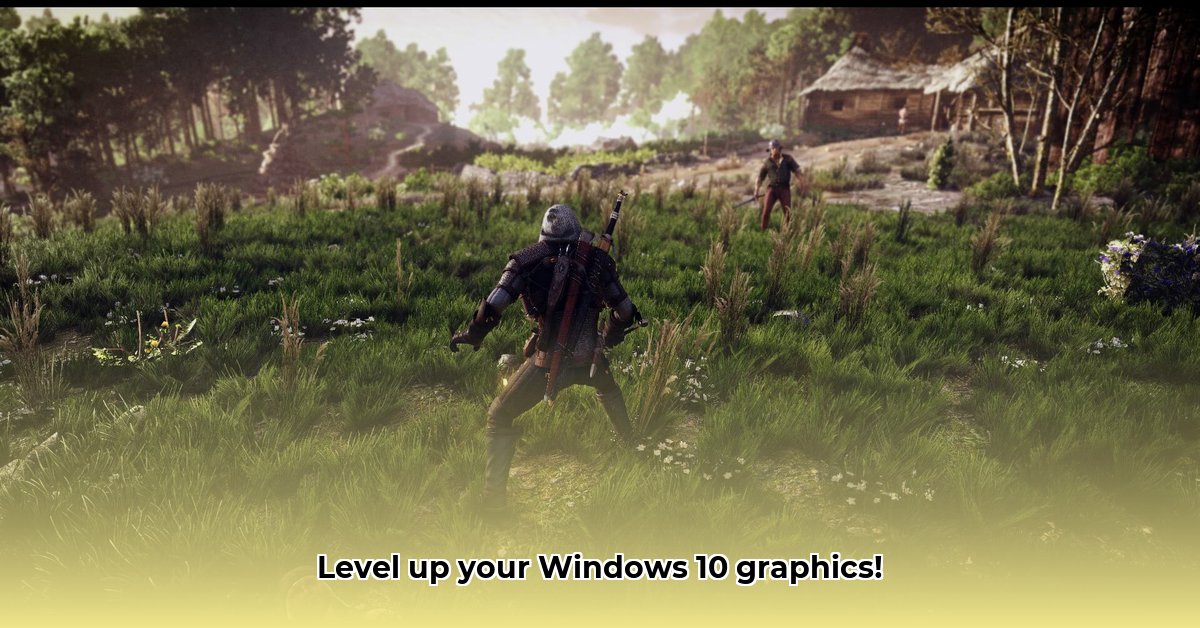
Want to dramatically improve your PC game visuals? ReShade is a free and open-source post-processing injector that can add stunning effects to your games. This guide provides a step-by-step walkthrough for downloading, installing, configuring, and troubleshooting ReShade on Windows 10. Let's get started!
Downloading and Installing ReShade
Downloading and installing ReShade is a straightforward process. However, ensuring you download from the official source is crucial for security and compatibility.
Download the Installer: Download the latest ReShade installer from the official website. 1 The download is small and should complete quickly.
Locate Your Game's Executable: Find the
.exefile that launches your game. This is usually located within the game's installation directory.Run the ReShade Installer: Run the downloaded installer. Select the game executable you located in the previous step. ReShade will automatically attempt to detect the game's graphics API (DirectX 11, DirectX 12, Vulkan, OpenGL, etc.). Confirm the detected API is correct; if unsure, a quick online search for "[your game name] graphics API" will help.
Choose Shaders (Optional): The installer may offer to download pre-made shader packages. Downloading these is optional but recommended as it provides a quick way to start using ReShade.
Install Supporting Software (If Necessary): ReShade may require additional software, such as the Microsoft .NET Framework. If prompted, install these components as instructed. This is a standard Windows component and is safe to install.
Launch Your Game: After the installation is complete, launch your game. You should now see the ReShade interface when pressing the
Homekey (this can be customized in ReShade's settings).
Configuring ReShade: Adjusting Presets and Effects
ReShade's in-game menu (usually accessed by pressing the Home key) allows you to customize the visual effects. This menu offers a wide range of options, from basic adjustments like brightness and contrast to more advanced effects such as depth of field and bloom.
Presets provide a ready-made starting point. Experiment with different presets to find ones you like. Then, further fine-tune the settings using the sliders and controls in the ReShade menu. Remember that excessive effects can impact performance.
Advanced Techniques: Custom Shaders (Optional)
For experienced users with programming knowledge (especially HLSL), creating custom shaders is possible. This allows for highly personalized visual effects. However, this requires significant technical expertise and isn't recommended for beginners. Extensive online resources are available for guidance if you choose to pursue this path.
Troubleshooting Common Issues
While generally easy to use, some users may encounter problems. Here are solutions for some common issues:
ReShade Not Loading: Verify you selected the correct game executable and graphics API during installation.
Performance Issues: Reduce the number of active effects or lower their intensity to improve performance. Higher-end graphics cards generally handle ReShade better than older models.
Game Crashes: Incompatible shaders might be the cause. Try disabling some effects to see if that resolves the crashes. Consult community forums for troubleshooting assistance.
Missing .NET Framework: If prompted, download and install the required version of the .NET Framework from Microsoft's website.
Ethical Considerations: Responsible Use
Using ReShade to gain an unfair advantage in online multiplayer games is unethical and often violates game terms of service. Use ReShade responsibly to enhance your visual experience, not to cheat.
Pros and Cons of Using ReShade
To help you decide if ReShade is right for you, consider the following:
Pros:
- Significantly improved visuals.
- Wide variety of effects and presets.
- Free and open-source software.
- Large and active community support.
Cons:
- Potential performance impact.
- Can have a steep learning curve for beginners.
- Compatibility issues with some games may arise.
- Potential for misuse in online multiplayer games.
Conclusion
ReShade provides a powerful way to enhance your gaming experience. While there might be a slight learning curve, the potential for improved visuals is significant. Remember to use it responsibly and ethically.
⭐⭐⭐⭐☆ (4.8)
Download via Link 1
Download via Link 2
Last updated: Wednesday, April 30, 2025